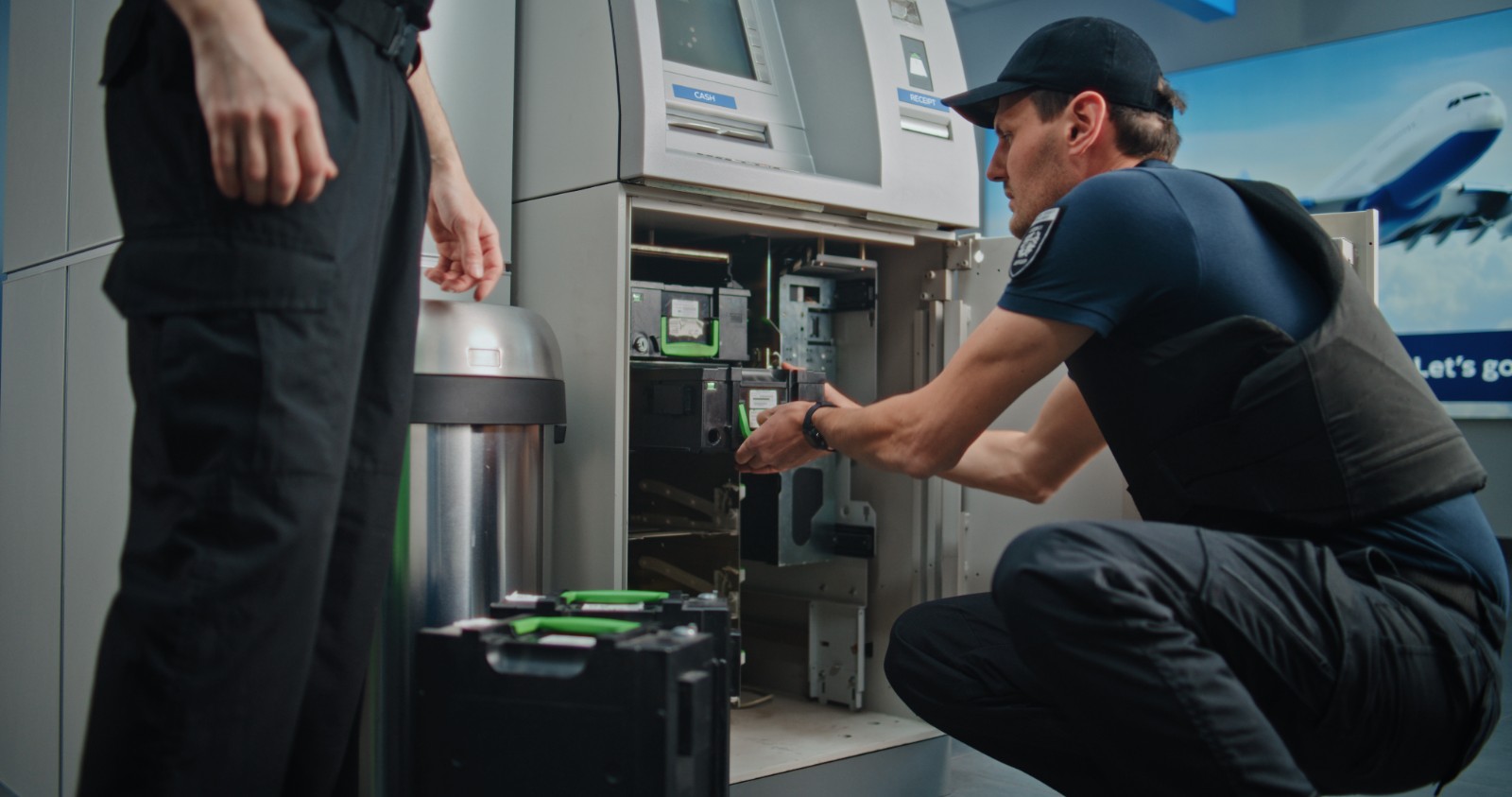
ATMs are complex electromechanical systems. Like any machines, they fail. But not all failures are equal. Some are minor sensor misreads that clear with a reboot. Others indicate a component that has reached the end of its service life.
Knowing the difference – and understanding which part to replace when – can mean the difference between a 15-minute fix and days of unnecessary downtime.
This guide covers the most common ATM failures across major brands (NCR, Diebold, Wincor, Hyosung, Fujitsu, and Glory), the parts most likely responsible, and what you need to know before ordering a replacement.
Typical Symptoms:
The machine rejects cards immediately after insertion
Cards are accepted but cannot be read (returns without completing transaction)
The card gets stuck inside the reader
The machine displays "Card Read Error" or "Invalid Card"
Most Likely Culprit Components:
| Component | Failure Mode |
|---|---|
| Card reader head | Worn magnetic head, unable to read track data |
| Transport motor | Motor stalls, fails to pull card in or push it out |
| Shutter mechanism | Shutter does not open, blocking card insertion |
| Control board | Communication failure with main ATM controller |
Replacement Guide:
For reading failures only (card goes in and out but fails), try cleaning the magnetic head first. If cleaning does not resolve, replace the card reader head or the entire reader assembly.
For mechanical jams, inspect the transport belt and motor. Stalled motors often need full assembly replacement.
For NCR 56/58 series, the card reader is fully replaceable as a module. No firmware update is typically required.
For Diebold models, verify the shutter solenoid separately – it can fail independently of the main reader.
Estimated Part Life: 2–4 years under normal usage (3,000–5,000 cycles per month). High-traffic locations may require annual replacement.
Typical Symptoms:
Some keys do not respond or require excessive pressure
The machine displays "PIN Pad Not Responding"
Transaction fails after PIN entry
Error codes related to encryption handshake
Most Likely Culprit Components:
| Component | Failure Mode |
|---|---|
| Keypad membrane | Wear from repeated use; individual keys stop working |
| Encryption module | Security seal broken or internal failure |
| Communication cable | Loose or frayed connection to main controller |
| Controller board | Power or logic failure |
Replacement Guide:
Do not attempt to repair an EPP in the field. Security seals are required for PCI compliance. Once broken, the unit is no longer certified.
Replace the entire EPP module. Most major brands (NCR, Diebold, Wincor) use brand-specific connectors. Confirm compatibility before ordering.
After replacement, a key injection or security handshake is usually required. This is typically performed by your ATM software provider or a certified technician.
For cable-related errors, try reseating the connection first – it is the cheapest fix and often overlooked.
Warning: Counterfeit EPP units are common in the secondary market. Purchase only from verified suppliers who can provide traceability.
Estimated Part Life: 3–5 years.
Typical Symptoms:
The machine displays "Cassette Empty" when cash is present
Dispensing errors: bills are doubled, misfed, or not presented
The cassette fails to lock or unlock during servicing
Error codes related to pick rollers or friction belts
Most Likely Culprit Components:
| Component | Failure Mode |
|---|---|
| Pick roller | Worn rubber surface, unable to separate bills |
| Friction belt | Stretched or broken, reduces feeding force |
| Cassette lock | Mechanical jam, cannot open for refill |
| Presenter unit | Fails to push bills to customer slot |
| Position sensor | Fails to detect cassette properly seated |
Replacement Guide:
Pick rollers are consumables. For high-volume machines, replace every 6–12 months. Kits are available for most brands.
If bills are doubling, clean the friction belt and check for wear. Replacement belts are inexpensive and easy to install.
For lock failures, the entire cassette may need replacement. Some models allow individual lock cylinder replacement – check your brand's service manual.
For NCR, the presenter unit (part of the dispenser module) often fails after 4–6 years. The entire presenter assembly is replaced as one unit.
Pro tip: Keep spare pick rollers and belts in your maintenance kit. These are the most common failure points and take less than 10 minutes to replace.
Estimated Part Life: Pick rollers – 6–12 months. Cassette body – 5–8 years. Presenter – 4–6 years.
Typical Symptoms:
Receipts come out blank, smudged, or partially printed
The printer makes noise but no paper advances
"Printer Out of Paper" displays when paper is present
Thermal paper turns completely black
Most Likely Culprit Components:
| Component | Failure Mode |
|---|---|
| Thermal print head | Worn or burned elements cause missing print lines |
| Platen roller | Worn rubber, paper slips |
| Paper feed motor | Motor fails or gears strip |
| Paper sensor | Dust or debris blocks detection |
| Cutter mechanism | Blade dull or motor fails (for cut models) |
Replacement Guide:
For partial printing (missing lines), replace the thermal print head. This is a common failure after 2–3 years.
For no paper feed, clean the platen roller with alcohol. If cleaning does not work, replace the roller and check the feed motor.
For Wincor printers, the entire printer module is often replaced as a unit due to proprietary connectors.
For Diebold, thermal print heads are available separately and are easier to replace than the full assembly.
Estimated Part Life: Print head – 2–3 years (or 500,000–1,000,000 lines). Full printer – 4–6 years.
Typical Symptoms:
No response to touch in certain areas of the screen
The entire screen does not respond
Screen flickers or shows distorted images
Calibration is persistently off
Most Likely Culprit Components:
| Component | Failure Mode |
|---|---|
| Touch sensor (resistive or capacitive) | Worn surface or cracked layer |
| LCD panel | Backlight failure or dead pixels |
| Controller board | Signal processing failure |
| Ribbon cable | Loose or broken internal connection |
Replacement Guide:
Resistive screens (older models) fail due to physical wear. Replace the touch sensor layer or the entire touchscreen module.
Capacitive screens (newer models) are more durable but can fail if cracked. Full module replacement is typically required.
Before replacing the screen, verify the cable connection. A loose ribbon cable is a common cause of intermittent failures.
For NCR models, the touch screen controller is separate from the LCD. Test by swapping controller boards if available.
Estimated Part Life: Resistive – 3–4 years. Capacitive – 5–7 years.
Typical Symptoms:
The machine will not power on
Intermittent reboots during operation
Multiple components failing simultaneously (e.g., display and printer both dead)
Burned smell from the unit
Most Likely Culprit Components:
| Component | Failure Mode |
|---|---|
| Capacitors | Bulging or leaking, common after 5+ years |
| Voltage regulator | Output outside specified range |
| Cooling fan | Fan fails, unit overheats and shuts down |
Replacement Guide:
Do not attempt to repair PSUs in the field. Capacitor replacement requires soldering and is not safe for field service.
Replace the entire PSU with a brand-compatible unit. Cross-brand PSUs rarely work – voltages and connectors differ.
Before ordering a replacement, confirm the exact wattage and output voltages of your original unit.
For temporary testing, you can use a bench power supply if you know the pinout – but do not leave this in production.
Warning: Use only certified replacement PSUs. Non-certified units can damage main boards or create fire hazards.
Estimated Part Life: 5–7 years.
Typical Symptoms:
The machine reports "Door Open" when the door is closed
Bill jams are repeatedly reported even after clearing
Cash cassette presence not detected
"Shutter Open / Closed" mismatch errors
Most Likely Culprit Components:
| Component | Failure Mode |
|---|---|
| Micro-switch | Worn contacts, stuck open or closed |
| Optical sensor | Dust blocks emitter or receiver |
| Magnetic sensor | Demagnetized or misaligned |
| Hall effect sensor | Electronic failure |
Replacement Guide:
Clean first. Optical sensors (used for bill path detection) are easily blocked by dust. Compressed air often fixes the problem.
If cleaning does not work, test the sensor with a multimeter. For micro-switches, measure continuity. For optical sensors, measure voltage change when blocked.
Replacement sensors are generally low-cost. Keep a few common types in your spares kit.
For door sensors, check the actuator (the metal tab that presses the switch) before replacing the sensor – sometimes it bends over time.
Estimated Part Life: Micro-switch – 50,000–100,000 cycles. Optical sensor – 5–10 years (if kept clean).
Before replacing any part, follow this simple checklist:
Reboot the machine. A surprising number of errors clear with a power cycle.
Check error logs. Most ATMs store diagnostic codes. Knowing the exact code saves hours of guesswork.
Clean before replacing. Dust, dirt, and paper debris cause many "failures" that are not failures at all.
Swap with known-good parts. If you have a spare, swap it in. If the problem moves, you have identified the faulty component.
Document what you find. Keep a log of failures and replacements for each machine. Patterns will emerge.
At Koviver HK Limited, we understand that downtime is expensive. That is why we structure our inventory and services around your need for speed and accuracy.
In-stock inventory – We maintain thousands of the most commonly failing ATM parts, including card readers, PIN pads, cash cassettes, printers, touch screens, belts, rollers, sensors, and PSUs.
Same-day dispatch – For urgent orders placed before our shipping cutoff, parts leave our Shenzhen warehouse within 24 hours.
Compatibility verification – Not sure if a part fits your model? Send us your machine details and failure symptoms. Our team checks compatibility before you order.
Bulk spares kits – For operators managing large fleets, we offer pre-assembled maintenance kits containing the highest-failure parts for your specific machine models.
The best way to minimize ATM downtime is not to wait for failures – but to plan for them. Identify your highest-failure components. Keep critical spares on hand. And work with a supplier who understands not just parts, but how ATMs actually fail in the field.
If you are currently troubleshooting a specific error or simply want to discuss a preventive spares strategy for your fleet, contact our Hong Kong head office or reach out through our website. We are here to help keep your machines running.
Subscribe to Our Newsletter